 ELEWIP
Everyone's tasks, in order.
What needs doing, by whom and by when. From the computer, the tablet and the phone.
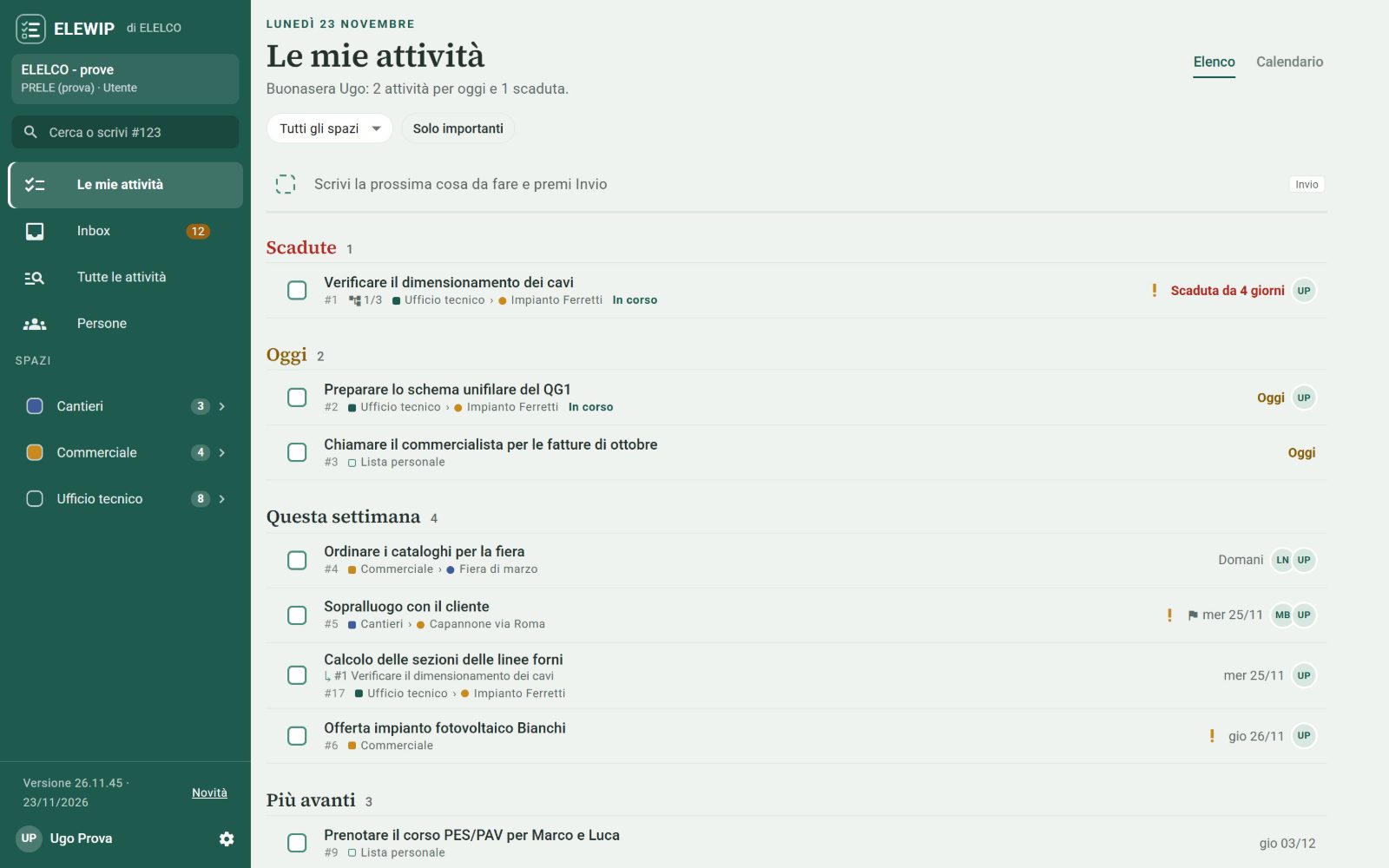
- Your tasks on one page, grouped by due date
- Spaces and projects shared with the people you work with
- Sign in and see what's on for today
The three things that matter
My tasks
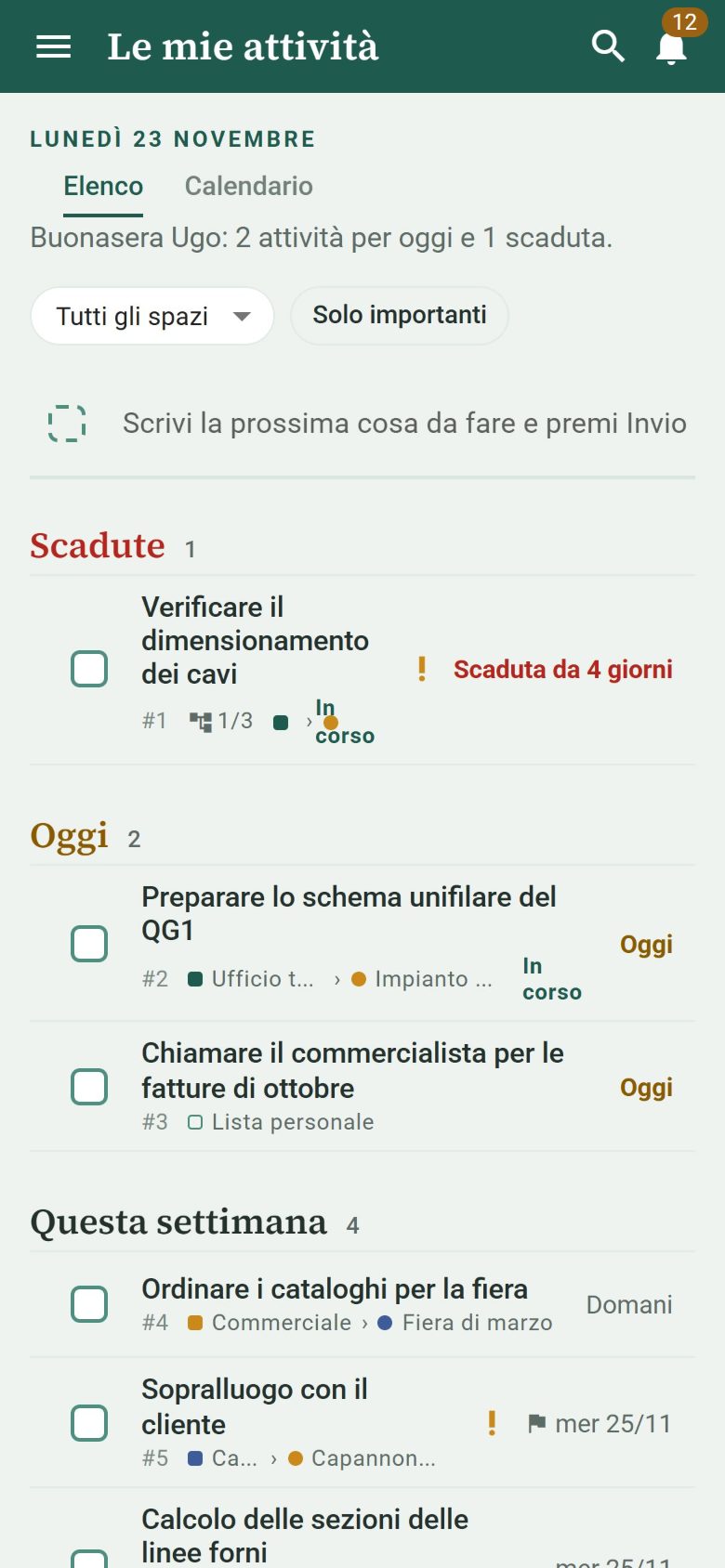
Everyone opens their own page and finds their work grouped into Overdue, Today, This week and Later. Whatever is late shows up in red, at the top: nothing gets lost.
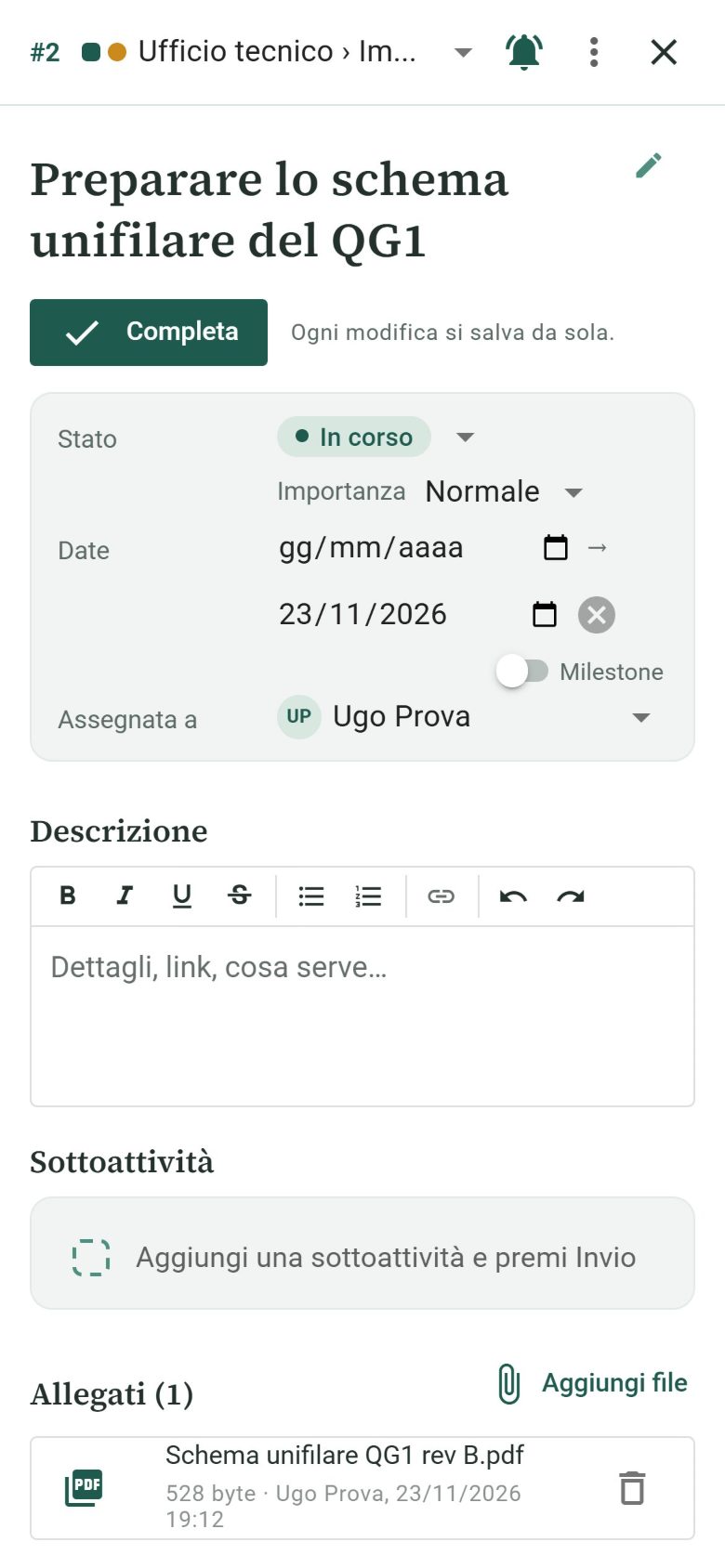
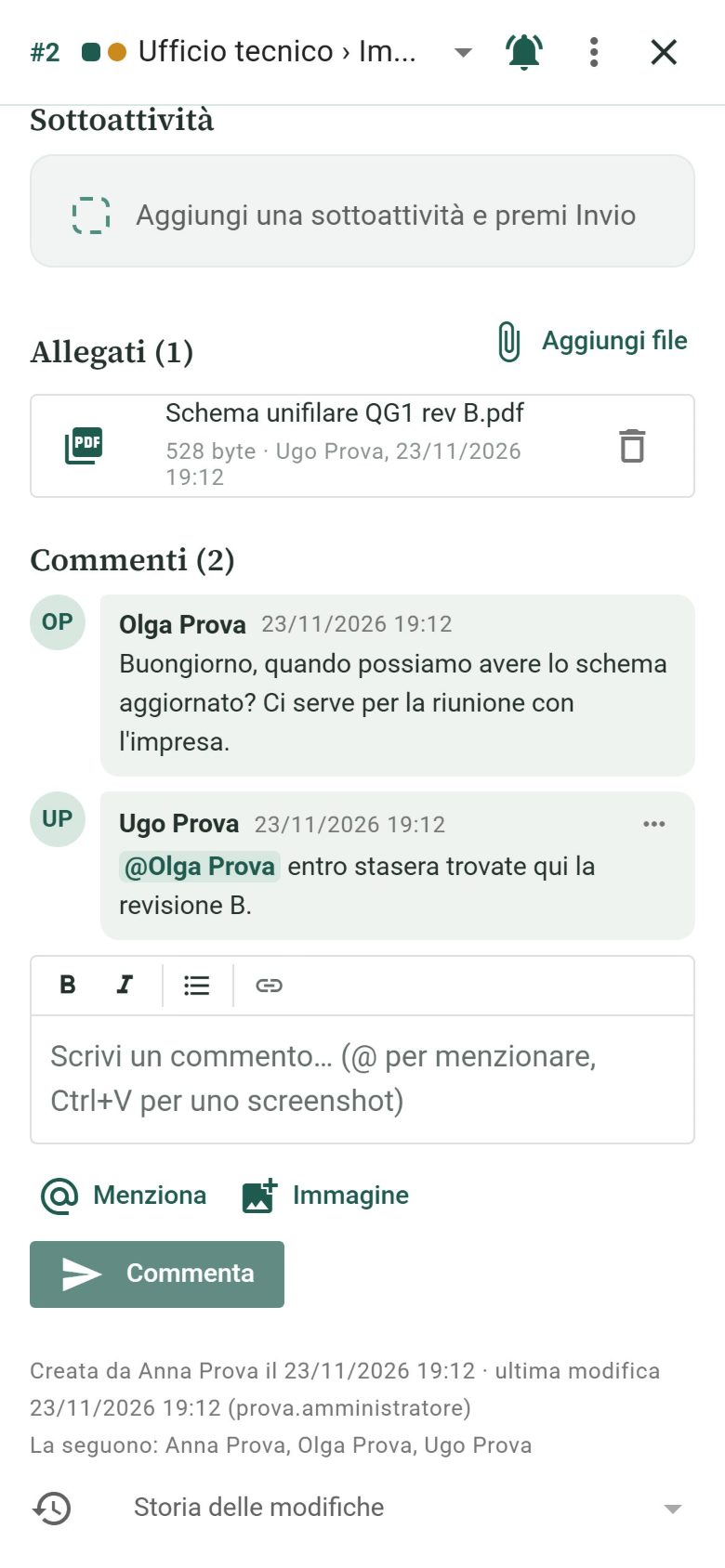
Everything inside the task
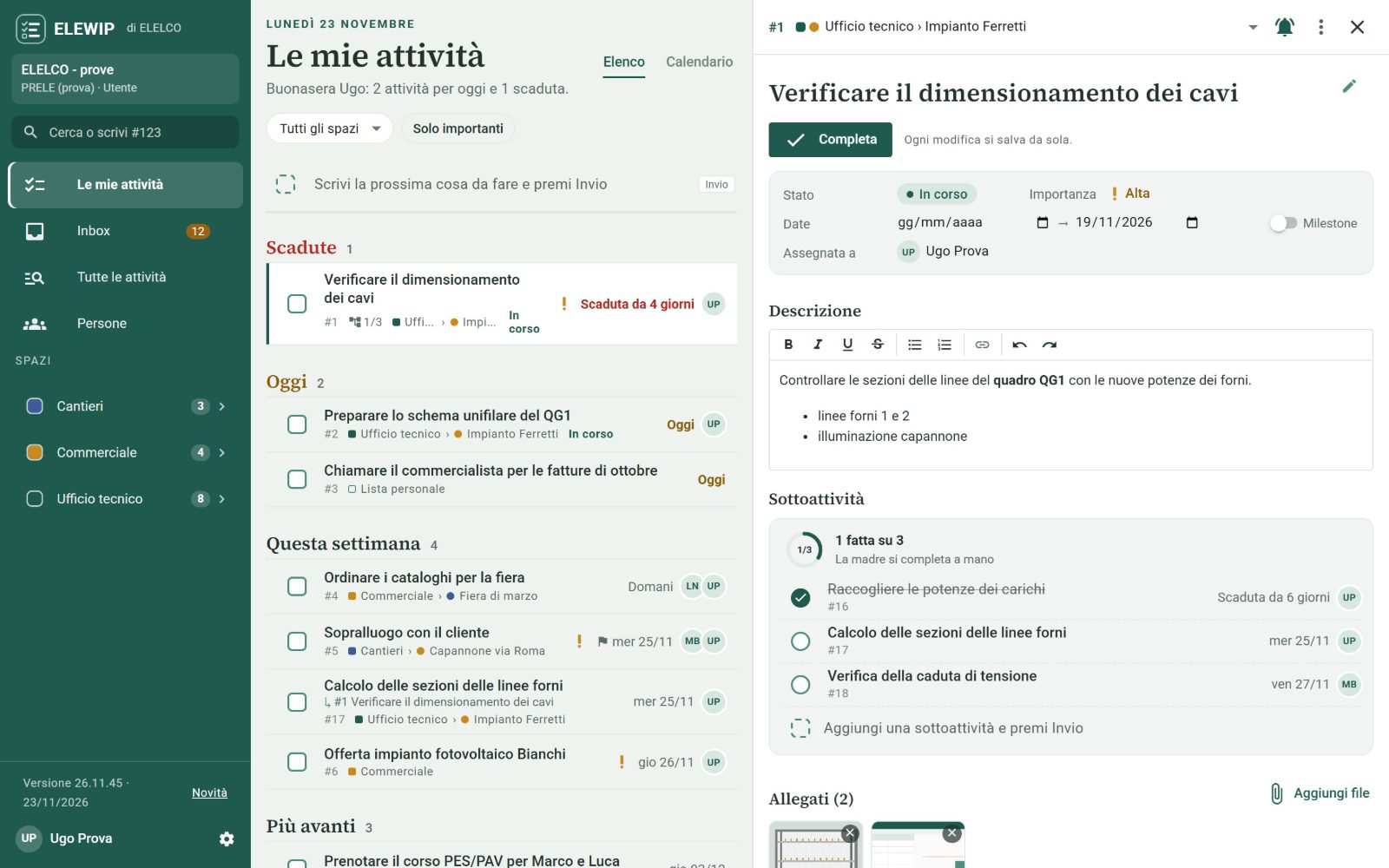
Description, photos and documents, comments with @mentions, the history of changes. Questions and answers stay next to the work, not scattered across emails and phone calls.
Alerts at the right time
Whoever gets a job knows right away: an email, a notification on the phone or computer and the in-app Inbox. Plus one email a day, at the time each person chooses, with the due dates. Whoever assigns the work doesn't have to chase anyone.
Simple by design
Made for people who need to know what to do today, not for people who want to spend their time configuring software. Few screens, few fields, settings ready to go.
- Create a task by typing its title and pressing Enter
- Complete it with one tap, reopen it with another
- Every change is saved automatically
- Working days and public holidays already set up
The same work, seen the way you need it
Every space and project can be viewed in the way that helps most at that moment: switch with one click, and change dates by dragging.
- List: everything in order of due date, with filters
- Board: one column per status, cards move across
- People: who has what to do, and who is falling behind
- Calendar: month or week, from start to due date
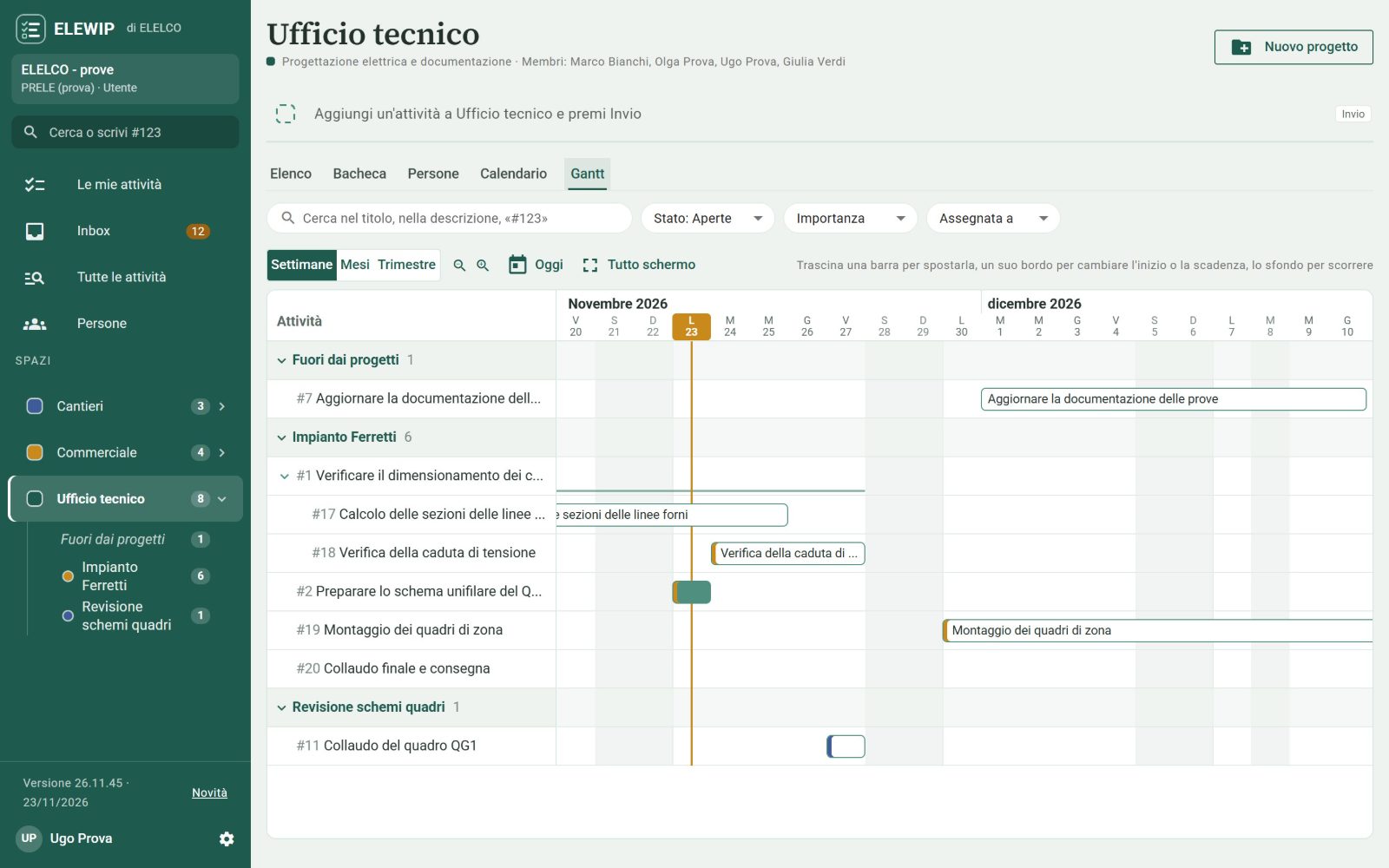
- Gantt: tasks over time, with their subtasks
What's already there
- Spaces and projectsThe company's work areas, each with its own members, and projects with an owner, dates, status and a colour of their own.
- SubtasksA big job split into steps, each with its own person and due date; the task shows how many are done.
- Customers and job ordersProjects linked to the customer and the job order, grouped in a folder per customer; filters show what is to be re-invoiced.
- Personal listYour own notebook: the things to do that don't belong to any space.
- Comments and @mentionsType @ and the people to involve appear, and they get notified. A screenshot can be pasted straight into the comment.
- Photos and documentsPhotos taken on site, PDFs and Office files attached to the task, up to 25 MB.
- Email remindersAn email right away to whoever gets a job, and one a day with the due dates, only when there is something to do; none on company closing days.
- NotificationsOn the phone and on the computer, like an app: mentions, comments and assignments arrive even when the application is closed.
- Search and Excel«All tasks» gathers the work you can see, with search in titles, descriptions and comments; every list can be exported to Excel.
- Roles and guestsAdministrator, user and guest: customers and suppliers read and comment without changing anything.
- Your lookYour company's colours; for each person a light or dark theme and larger text, if needed.
- Manual and quick guideInside the application, from the menu: the guide for everyone and the manual for administrators.
From the phone, too
The same pages rearrange themselves for the small screen. It installs on the home screen like an app, without going through the stores, and notifications arrive just like an app's: check your day, complete a task with one tap, photograph the site and reply to a comment.
Your data, safe
- Two-factor sign-in, lockout after failed attempts, access log
- History of changes: who changed what, and when
- Servers run by ELELCO, nightly backups and a monthly restore test
How to get started
- Your companyWe set up your company with its first administrator: calendar and settings are ready. If useful, a trial company too, to practise without touching real data.
- People and spacesThe administrator invites colleagues and creates two or three spaces, where work really changes hands.
- A trial periodA small group moves into ELEWIP what they keep today in emails and sticky notes.
- The whole companyThen everyone, with the daily email reminder and, if needed, guests for customers and suppliers.
Let's try it with your team
Write to us: we prepare a trial company and help you through the first weeks.
Or write to us at infoelewip.it